SynthiCal AI
AI-Powered Calendar Intelligence
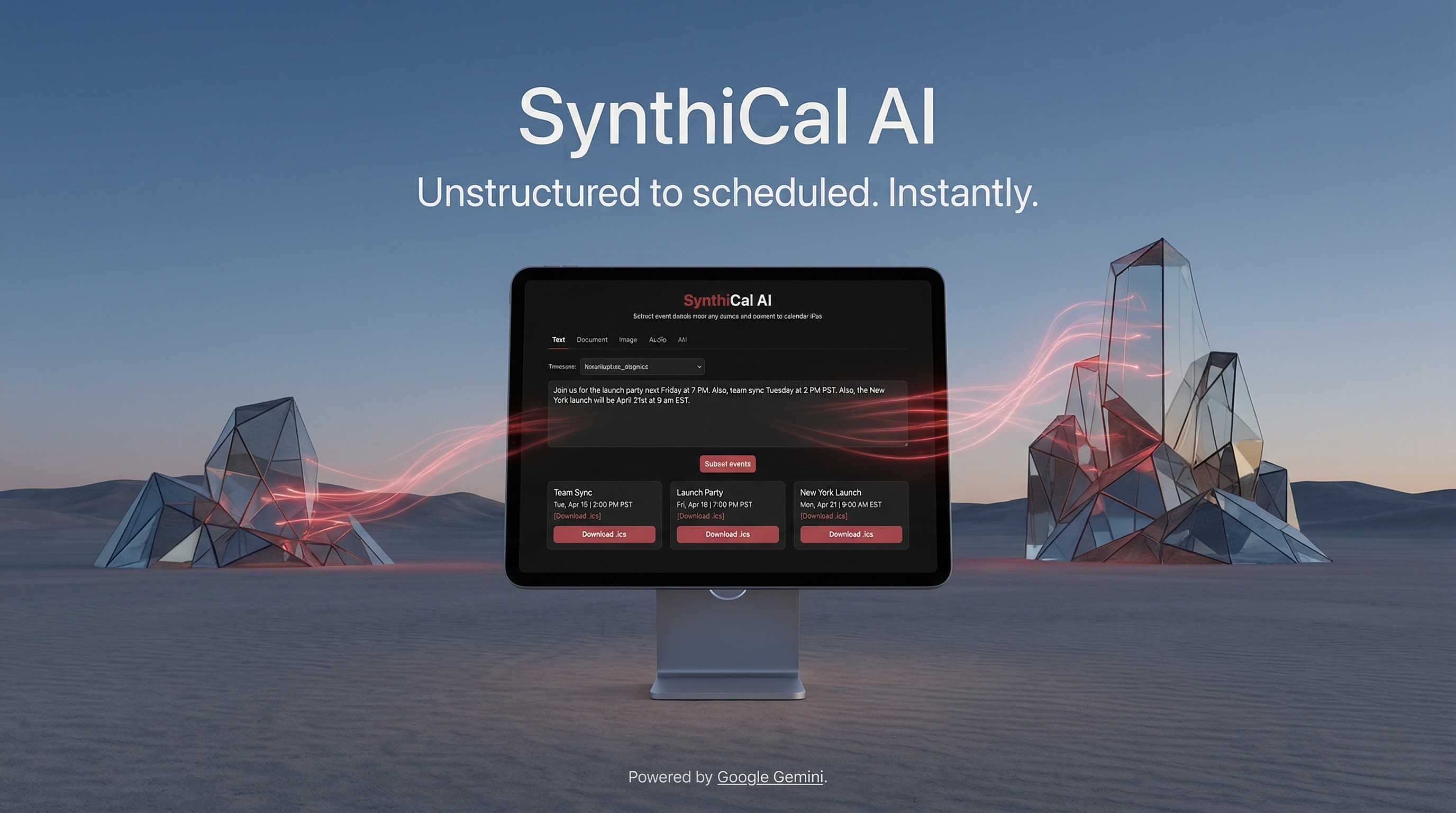
An intelligent event extraction platform that transforms unstructured text, URLs, documents, images, and audio recordings into calendar-ready events using Google Gemini's multimodal AI — then exports directly to Google Calendar, Apple Calendar, Outlook, or .ics files.
The Problem
Event information arrives in every format imaginable — meeting details buried in long emails, conference schedules on web pages, flyer images shared in group chats, voice memos with date references, and PDF attachments with itineraries. Manually extracting dates, times, locations, and descriptions from these sources and entering them into a calendar app is tedious, error-prone, and something most people simply skip. Existing calendar tools require structured input, and copy-pasting fragments rarely captures all the details correctly.
The Solution
SynthiCal AI turns any unstructured source of event information into calendar-ready events with a single click. Paste text, drop a URL, upload a document or image, or even record a voice memo — the platform uses Google Gemini's multimodal capabilities to extract every event detail, resolve relative dates against the user's timezone, and present structured results as interactive cards. From there, users can export to Google Calendar, Apple Calendar, Outlook, or download standard .ics files.
Key Features
Five Input Modes — A tabbed interface supports text, documents (PDF, DOC, DOCX, TXT, RTF), images (PNG, JPG, WebP, HEIF), audio recordings (up to 60 seconds via in-browser capture), and URLs — all processed through a single AI pipeline.
Intelligent URL Processing — When a URL is submitted, the server first attempts structured data extraction from JSON-LD schema.org/Event markup. If no structured data exists, it falls back to scraping the page content and sending a focused 4,000-character snippet to Gemini for AI-based extraction.
Timezone-Aware Extraction — Users select their timezone from a comprehensive dropdown, and the AI receives the current UTC time, user timezone, and local time context. Relative references like "tomorrow," "next Friday," or "this evening" are resolved accurately against the user's local time and converted to UTC ISO format.
Multimodal File Analysis — Documents, images, and audio files are uploaded to the Gemini Files API for multimodal processing. The server handles resumable uploads, polls for file readiness, extracts events via gemini-3.1-pro-preview, and deletes uploaded files after processing for privacy.
In-Browser Audio Recording — A built-in audio recorder captures speech (WebM or MP4 depending on browser support) with a 60-second limit, visual countdown timer, and playback preview before extraction.
Interactive Event Cards — Extracted events are displayed in a responsive grid with title, date/time range, location, description, and source links. Cards support individual selection, select-all, and multi-select for batch operations.
Multi-Platform Calendar Export — Each event card includes an "Add to Calendar" button with dropdown options for Google Calendar, Apple Calendar, Outlook.com, and iCal. Users can also download individual .ics files, selected subsets, or all events at once.
Privacy-First Design — No user accounts, no persistent data storage, no tracking cookies. Uploaded files are deleted from Gemini's servers after processing. All session data stays in the browser.
How It Works
- Input — Users paste text, enter a URL, upload a file, or record audio through the tabbed interface
- Process — The frontend sends the input along with the user's timezone to the Firebase Functions backend
- Extract — The backend routes to the appropriate processor: direct Gemini SDK for text, JSDOM + JSON-LD parsing (with AI fallback) for URLs, or Gemini Files API for multimodal content
- Present — Extracted events are returned as structured JSON and rendered as interactive cards with date formatting, location display, and action buttons
- Export — Users add events to their preferred calendar platform or download
.icsfiles generated server-side using the ICS library
Technical Architecture
Frontend: React 19 single-page application built with Vite 7. Tailwind CSS 4 provides utility-first styling with a custom brand theme. The add-to-calendar-button library handles cross-platform calendar integration. State management uses React useState hooks — no external state library needed for the application's focused scope.
Backend: A single Firebase Cloud Function (Gen 2) wraps an Express 5 application with four API endpoints. The function runs on Node.js 20 with Firebase Secrets for API key management. Busboy handles multipart file uploads from the raw request body.
AI/ML: Google Gemini 3.1-pro-preview powers all extraction paths. Text processing uses the @google/generative-ai SDK with responseMimeType: "application/json" for structured output. File processing uses the Gemini REST API directly for resumable uploads and multimodal generation.
Data Processing: JSDOM parses fetched HTML for structured JSON-LD event data. The ICS library generates RFC 5545-compliant calendar files with UTC date components.
Deployment: Firebase Hosting serves the Vite production build from frontend/dist. Hosting rewrites route /api/** requests to the Cloud Function. The Vite dev server proxies /api to the local Firebase emulator for development.
Design Decisions
- Serverless Backend — All AI API keys stay server-side via Firebase Secrets, eliminating client-side key exposure
- JSON-LD First — URL processing prioritizes structured data over AI extraction, improving both speed and accuracy for pages with proper markup
- Multimodal via Files API — Using Gemini's resumable upload and file reference approach handles large documents and audio without exceeding request size limits
- No Authentication — Removing sign-in friction maximizes the tool's utility as a quick-use productivity aid
- Post-Processing Cleanup — Uploaded files are deleted from Gemini's servers immediately after extraction, honoring privacy commitments
Challenges Overcome
- Relative Date Resolution — The prompt includes current UTC time, user timezone, and formatted local time so the model can accurately resolve "tomorrow," "next week," and similar references
- Diverse JSON Structures — A
normalizeEventsfunction handles arrays,{events: [...]},{event: {...}}, and bare objects — covering every format Gemini might return - Firebase Multipart Parsing — Firebase Functions expose raw body buffers instead of streams, requiring Busboy to be fed via
bb.end(req.rawBody)rather than piped from the request - URL Scraping Reliability — A multi-tier fallback (JSON-LD → content scraping → AI extraction) with error recovery ensures the system returns useful results even when pages are difficult to parse
Performance Characteristics
Text Extraction: 2-4 seconds (Gemini processing)
URL Extraction: < 1 second with JSON-LD; 3-6 seconds with AI fallback
File Processing: 5-15 seconds (upload + polling + generation + cleanup)
ICS Generation: < 100ms server-side
Future Roadmap
Planned enhancements include email integration for automatic event extraction from inbox, a Chrome extension for one-click extraction from any page, user accounts with extraction history, batch processing for multi-page documents, recurring event pattern detection, and direct Google Calendar API integration for frictionless one-tap event creation.